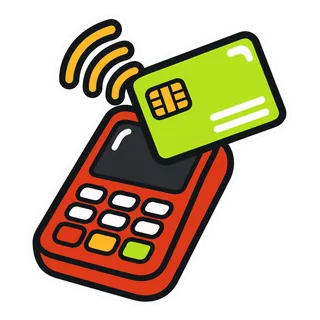
Food truck card readers come in three common types: tap to pay on your phone, a small Bluetooth reader, and a countertop terminal. The right one for you depends on your processor, how many people work the window and how long your battery needs to last. The brand on the reader matters less than most people think. Signal, battery and sunlight decide more sales at the window.
One thing to know up front: GetFoodTruckPOS works with your processor. We do not process cards, we do not sell readers on a contract, and we take 0% of your card sales. So this guide is not a sales pitch for a reader. It is a plain explanation of how they work and what to ask the company that actually moves your money.
What does a card processor actually do?
A card processor is the company that takes a card payment from your reader, gets it approved by the customer’s bank and card network, and deposits the money into your bank account, minus their fees. They usually supply or approve the reader you use. Your POS records the sale; your processor moves the money.
Keeping those two jobs separate is why GetFoodTruckPOS can stay processor-neutral. You can keep a processor you trust, or switch processors, without changing how you ring sales, run reports or close out.
What are the main types of card readers for food trucks?
| Reader type | How it works | Good for | Watch out for |
|---|---|---|---|
| Tap to pay on a phone | Your phone accepts contactless cards and wallets directly | Carts, coffee bikes, low-volume pop-ups | Phone model and country support, one device doing everything |
| Bluetooth mobile reader | Small reader pairs with your phone or tablet | Most single-window trucks | Pairing drops, battery life, chip cards need insertion |
| Countertop terminal | Standalone terminal, often with its own SIM or Wi-Fi and printer | Busy trucks, two-person windows | Size, cost, needs power and signal of its own |
| Handheld terminal | All-in-one device with screen and printer | Line-busting at large events | Cost, battery, another device to charge |
Tap to pay on a phone
Tap to pay turns a compatible phone into a contactless card reader. The customer taps their card, phone or watch on the back of your phone. Apple calls its version Tap to Pay on iPhone, and Android phones have their own versions, but in both cases it is offered through a processor’s app. Support depends on the phone model, software version, country and processor.
It is great for starting out and for carts. The downside is that one phone is now your register, your reader and maybe your hotspot, so its battery and signal carry everything.
Bluetooth mobile readers
A small reader pairs with your phone or tablet over Bluetooth. It accepts contactless taps, chip cards and sometimes swipes. Most single-window trucks end up here because readers are cheap, small and familiar to customers. The common problem is Bluetooth pairing dropping when the phone goes to sleep or moves too far away, so keep the reader within arm’s reach of the device.
Countertop and handheld terminals
Terminals are bigger and usually have their own screen, sometimes a printer and sometimes their own data connection. They suit trucks with a second person on payments, or event setups with a runner taking orders in the line. They cost more and need their own charging plan.
How does a card reader work with GetFoodTruckPOS?
You take the card payment on your processor’s reader, and the sale is recorded in GetFoodTruckPOS as a card payment so it shows up in your register, reports and close-out. The exact steps depend on which processor and reader you use. The mobile card readers page explains the processor-neutral approach, and the help article connect a card reader walks through the setup.
Split payments are supported too. If a customer wants to pay part in cash and part on card, ring both payment methods on the same sale. More on that on the cash and card page.
What should you ask a processor about fees?
We do not quote any processor’s fees here, because they change, they vary by country and plan, and they are often negotiable for higher volumes. Instead, here are the questions that get you a real answer:
- What is the rate for in-person contactless and chip payments? Get it in writing.
- Is it flat-rate or interchange-plus? Flat-rate is simpler. Interchange-plus passes through the card network’s cost and adds the processor’s markup, which can be cheaper at higher volumes.
- Are there monthly fees, minimums or PCI fees? Ask for every recurring charge.
- Is there a contract or early termination fee? Month to month is easier to leave.
- How fast are payouts, and is next-day or instant payout extra?
- What does the reader cost, and is it bought or leased? Leases can cost far more over time.
- Do you support offline or store-and-forward payments on this reader? And what are the limits?
- How do chargebacks work and what do they cost?
Then compare the total yearly cost, not just the headline rate. A low rate with a monthly fee can cost more than a higher rate with none, depending on how much you sell. Our savings calculator helps you compare the software side of that picture.
Why do battery and sunlight cause lost sales?
Because the reader that dies at 12:15 costs you more than any fee difference.
Battery
- Charge readers and phones fully the night before.
- Keep a power bank and a spare cable in the truck.
- Plug devices into a USB or 12V outlet between rushes.
- Heat drains batteries faster. Keep readers out of direct sun and away from the grill and fryer.
- Turn screen brightness down when the window is shaded, up when it is in full sun.
Sunlight
Screens wash out in direct sun, and customers squinting at a tip screen slow the line. If your window faces the sun, a small shade over the reader, a matte screen protector or angling the reader away from the sun can all help. Test the reader and your POS screen at your sunniest spot before the busy season starts.
Signal
Readers that connect through your phone use your phone’s data, and terminals with their own SIM use theirs. If signal is weak, payments slow down or fail. GetFoodTruckPOS also needs a data connection to ring sales. Our guide to running a food truck POS without signal covers hotspots, second SIMs and the cash fallback.
Card, cash or both?
Both, almost everywhere. Card and wallet payments are the norm in many US and UAE crowds, while cash is still huge in Pakistan and at many markets everywhere. Trucks that take both keep the line moving when one fails. Some trucks also add custom payment methods, like a local mobile wallet or bank transfer, recorded in GetFoodTruckPOS so reports show exactly how people paid.
| Situation | Best fallback |
|---|---|
| Reader battery dies | Phone tap to pay if your processor supports it, or cash |
| Signal drops | Reader offline mode if your processor offers it, or cash |
| Customer’s card declined | Ask for another card, wallet or cash |
| Big catering order | Invoice or bank transfer, recorded as a custom payment method |
How do readers affect line speed?
Contactless taps are typically faster than chip insertion, and chip is faster than writing down a card number. Beyond that, the biggest speed wins are not in the reader at all: they are in a clean menu, preset tip options and having the reader ready before the customer finishes ordering. Read how to speed up your food truck line for the full list.
How do you set up a reader before your first event?
Do it at home, a few days before the event, not in the parking lot an hour before service.
- Confirm the reader with your processor and make sure your account is fully approved for in-person payments.
- Charge everything: reader, phone or tablet, power bank.
- Pair the reader with the device you will use at the window and check it reconnects after the phone sleeps.
- Run a small real payment with your own card, then refund it, so you see the full flow.
- Ring a test sale in GetFoodTruckPOS as a card payment and check it appears in the register and reports.
- Ask about offline mode and turn it on in advance if your processor offers it and you plan to rely on it.
- Pack a fallback: cash float, power bank and a spare cable.
What about tips and receipts?
Tip prompts live on the reader or processor app for many setups, so ask your processor how tips appear in their reports, and match them at close-out. Preset tip options are faster than asking customers to type an amount.
For receipts, many customers at a truck window do not want paper. GetFoodTruckPOS can print to Bluetooth, USB or network thermal printers, or email or share a receipt, so you can offer paper to those who ask and skip it for everyone else. That saves time and paper rolls at peak.
What to do next
Write down your processor’s current rate, monthly fees and contract terms, then run through the eight questions above. When you are ready to see how GetFoodTruckPOS records card, cash and custom payments, read how it works or check the pricing page for plans and the free trial.