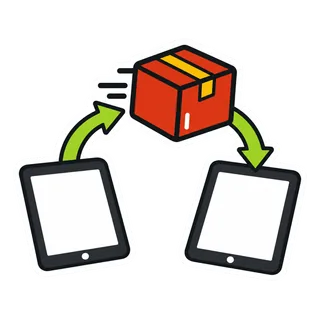
Switch food truck POS between services.
Your menu, customers and stock come over by spreadsheet. Your processor stays where it is. Migration help is free.
Five stops to switch
Times are typical for a 30 to 60 item menu.
Typical total about an hour, plus one test service
- 10 min
Export from your old POS
Most systems export items and customers to a CSV spreadsheet from their back office. Export sales history too, for your own records.
- 15 to 30 min

Tidy the spreadsheet
Match our template columns: name, category, price, tax, SKU, and modifiers. Delete items you no longer sell.
- 5 min

Import products and customers
Upload the files in the POS. Errors are listed row by row so you can fix and re-upload.
- 10 min

Set opening stock
Enter or import what is on the truck and in the commissary today.
- 1 service

Run both for a day
Keep your old system until one full service has run cleanly on the new one, then cancel it.
What moves, what doesn't
- Menu items, prices, categories
- Modifiers and variations
- Customers and phone numbers
- Opening stock levels
- Loyalty point balancesImport as a balance per customer
- Old sales historyKeep your export; it is not imported
- Card processor accountStays with your processor
- Gift cards from another systemHonour them as a custom payment
What switching costs
Nothing from us: no migration fee, no setup fee on POS plans. Check your old contract for an early termination fee and whether your hardware is leased. If your card reader came from your old POS company, you may need a new reader from your processor; see the hardware guide.
Switching questions
Start your 30-day free trial, export your menu and customers from the old system, and import them. Set up taxes and staff, connect your card processor's reader, and ring test sales. Run both systems side by side for a few services. When you are happy, cancel the old system and update your online ordering links.
Export your item list with prices, modifiers and categories, your customer list, opening stock counts and any gift card or loyalty balances you honor. Download sales, tax and payment reports for the current and past year. Many systems close access soon after cancellation, so do this first.
You can import customers and set their starting points by spreadsheet. Gift card balances need care: list each one and decide how you will honor it, because gift cards issued by another system usually cannot be read by a new one. Tell regulars about the change on the window and in your today's spot post.
Only if your current processing is tied to your old POS, as it is with Square, Toast and most Clover deals. If you already have an independent processor and reader, keep them. GetFoodTruckPOS takes 0% of card sales and works with your processor. Apply for a new processor early, since approval and shipping take time.
In your slowest week, not before a festival or catering season. Pick a day with a short service to run the first live sales. Line the switch date up with the end of any contract on your old system to avoid fees. If you run several trucks, move one first and the rest a week later.
Ring every sale in GetFoodTruckPOS and take cards on the reader for your new processor where it is ready. If the old reader is still your main one, record those card sales as card payments in GetFoodTruckPOS. Compare the close-out reports from both systems at the end of each service until the totals match your expectations.
GetFoodTruckPOS builds an online store from your menu automatically. Once it looks right, update the link in your Instagram bio, Google Business Profile and anywhere else you share it. Post today's spot so customers find you. Turn off ordering on the old system the same day so nobody orders from a store you are no longer watching.
Yes. Book a 30 minute menu import session through /contact/ and send your export or a photo of your menu. We help with items, modifiers, taxes and a test sale. For several trucks and a commissary, book the fleet walkthrough. Help with switching is included with every plan and the trial.
Plans are month to month, so you can cancel any time and export your data. The trial is 30 days and needs no card, so most owners decide before paying anything. Keep your old system's data exported and, if you can, keep its account open until you are sure.

Bring your menu. We'll help carry it.
Sign up, add your truck and your menu, and ring a test sale before your next service.
30 days free, no cardMonth to month0% of your card sales